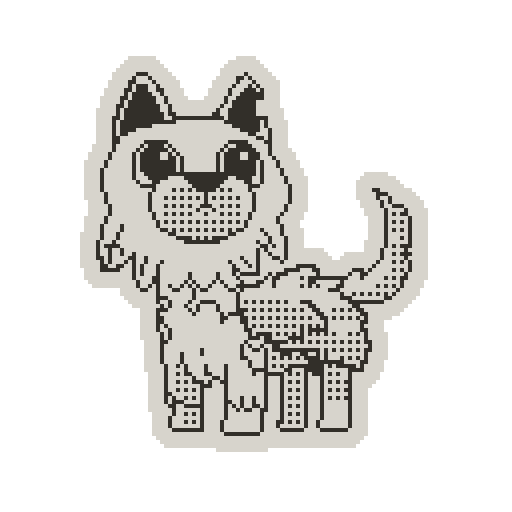
TECHNICAL CASE STUDY

ASOBIMON

A monster-catching RPG I’m building for Playdate.

ROLE
Sole Developer / Programmer & Designer
STATUS
In active development
STACK
Lua · Playdate SDK · LDtk · Supabase · Deno
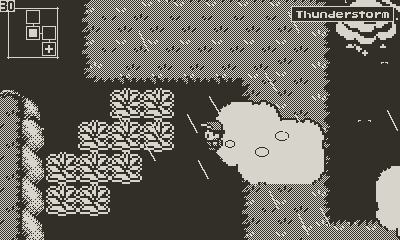
Asobimon gameplay running on Playdate

PROJECT OVERVIEW

Two game experiences.
One Asobimon codebase.

I’m Asobimon’s sole developer and programmer, and I also work on its design, UI, and sprites. The rest of the team contributes art, animation, music, writing, community support, and translations. The code now supports both the main monster-catching RPG and Asobimon Expedition, a roguelike mode with one playable procedural floor and an eight-floor progression scaffold. Expedition is planned as a playable demo and, eventually, a standalone game.

CONTENT & SYSTEM SCALE

A snapshot of the current build.

AS OF V0.3.5

Asobimon fits a large creature roster, a data-driven battle system, an RPG world, and a procedural Expedition mode within Playdate’s hardware limits.

109

MONSTERS

170+

UNIQUE MOVES

159

AUTHORED LDTK MAPS

432

DECK STORAGE SLOTS

42

ACHIEVEMENTS

5

LANGUAGE RUNTIMES

BATTLE SYSTEM

35 abilities · 27 item types · 24 battle arenas · 15 monster types · 25 natures

WORLD BREAKDOWN

143 Expedition maps · 16 fixed-world and support maps

PARTY

6 active monsters · up to 432 stored monsters

ENGINEERING FOR PLAYDATE

The menus were cutting the frame rate in half.

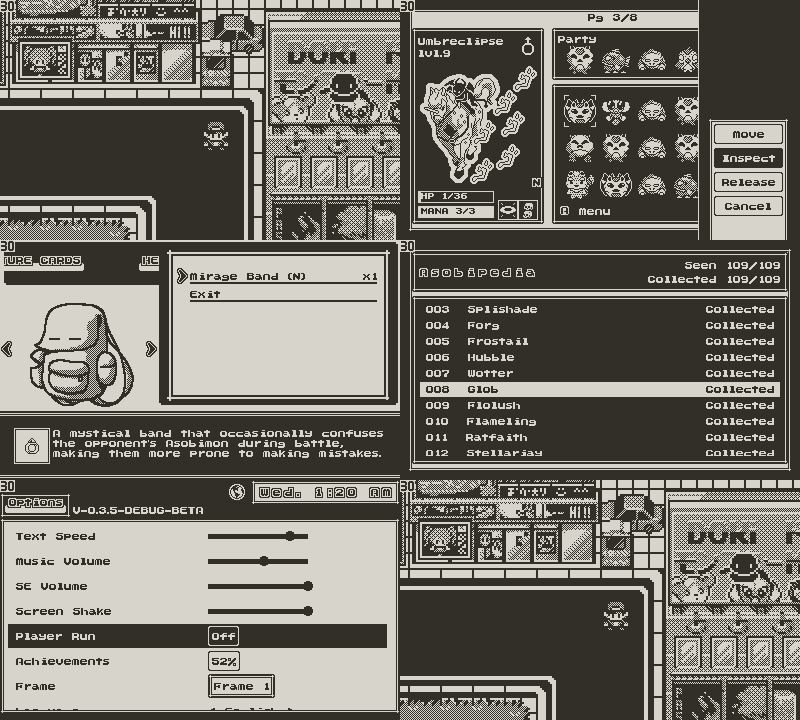
Asobimon was only my second Playdate project, and I built several early systems for quick iteration. During the closed beta, the problems with that approach became clear. The most demanding menus dropped to roughly 15 FPS on hardware, half of Playdate’s 30 FPS target.

The menu system had grown into a single large grid implementation, with too much UI work happening up front. I separated it into focused views, moved shared behavior into a reusable grid manager, and distributed module loading across frames. The refactor brought those menus back to 30 FPS.

I applied the same approach across the wider game: distributing startup work across frames, releasing Expedition rooms outside the current room neighborhood, running garbage collection deliberately after large transitions, and reducing unnecessary sprite and rendering work. On Playdate, small inefficiencies become visible quickly.

  • Frame-budgeted startup
  • Batched module loading
  • Sprite and rendering optimization
  • Expedition room-neighborhood management
  • Explicit garbage collection after major transitions
  • Shared menu and grid structure

FRAME BUDGET

Startup work is spread across frames

01

BOOT

02

CORE DATA

03

SCENES

04

UI MODULES

~15

FPS · BEFORE

30

FPS · AFTER

Asobimon menu navigation running on Playdate

BATTLE SYSTEM

The old battle flow was a hodgepodge of state checks.

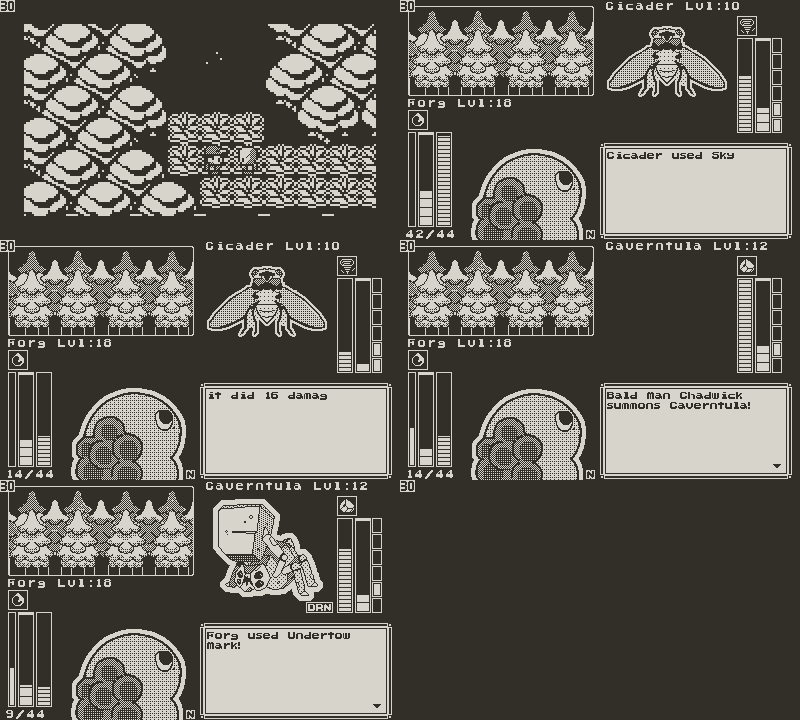
The original battle flow tried to infer which action was running, which dialogue should be active, and which menu should reopen next. As statuses, abilities, switching, items, and multi-step outcomes were added, there were more opportunities for an old callback to resume at the wrong time.

I rebuilt the system around a clear action order. Each turn puts the player and Trainer AI actions into the same format, orders them by action priority and speed, resolves the first action, and then moves to the second. For asynchronous branches, battleFlowToken, dialogue IDs, and re-entry guards stop old callbacks from changing the current battle state.

  • Modular encounter-scene structure
  • Ordered turn resolution
  • Move and action priority
  • Switching, statuses, and abilities
  • Arena effects and Trainer AI
  • Flow tokens, dialogue IDs, and re-entry guards

SYSTEM SKETCH

Turn resolution and callback invalidation

01COLLECT ACTIONS→
02NORMALIZE ACTIONS→
03ORDER BY PRIORITY + SPEED→
04RESOLVE FIRST ACTION→
05RESOLVE QUEUED SECOND ACTION→
06PROCESS OUTCOMES■

Move, switch, and item actions enter the same ordering pass. Priority is compared first; speed breaks ties.

CALLBACK SAFETY

CAPTURE FLOW TOKEN
ASYNC CALLBACK
VALIDATE TOKEN
CONTINUE OR ABORT

DIALOGUE IDs reject callbacks from replaced or closed dialogue.

RE-ENTRY GUARDS protect replacement summons, faint resolution, and sequential level-up handling.

Asynchronous summon, faint, and level-up sequences capture the current battleFlowToken. If the battle has moved to a newer flow before a callback returns, that callback exits without changing the active state.

An Asobimon battle running on Playdate

DATA-DRIVEN MONSTERS

Trainer parties needed more than a card number.

When I added trainer battles, I needed each NPC to carry a repeatable party with specific levels, genders, natures, abilities, genetic values, and dedication values. I solved that with Asobicodes: fixed-width 40-digit strings that contain everything needed to reconstruct a monster. Every field is zero-padded to a known width, so the game can read the code without separators. I now use the same format in saves, the Deck, procedural parties, special trades, network payloads, and round-trip tests.

  • Declarative monster registration
  • Move registry and ability hooks
  • Stats, levels, and learnsets
  • Genetic and dedication values
  • 432-slot deck
  • On-demand hydration

DATA FORMAT

One monster in 40 digits

EXAMPLE ASOBICODE

IDENTITY · 10 DIGITS0890151151

GENETIC VALUES · 12 DIGITS151209081411

DEDICATION VALUES · 18 DIGITS020015010025018012

IDENTITY

10 DIGITS

Card #
089
Level
015
Gender
1
Nature
15
Ability
1

Card and level are zero-padded to 3 digits. Level runs from 001–100; gender is 1 male, 2 female, or 3 no gender; nature is 01–25; ability is 1–3 when available.

GENETIC VALUES

12 DIGITS

HP
15
Attack
12
Defence
09
Sp. Attack
08
Sp. Defence
14
Speed
11

Six 2-digit values. Each GV ranges from 01 to 15.

DEDICATION VALUES

18 DIGITS

HP
020
Attack
015
Defence
010
Sp. Attack
025
Sp. Defence
018
Speed
012

Six 3-digit values from 000 to 255. A fully trained monster can have no more than 510 total.

10 identity + 12 GV + 18 DV = 40 digits

A shared Monster implementation reads each field by position and hydrates the full object only when a system needs it.

CONTENT PIPELINE

The content pipeline outgrew hand-authored definitions.

Adding a move originally meant manually creating its normal cell, selected cell, and description image. Even a balance or text change could require rebuilding those assets. I replaced that workflow with runtime-generated move views built from shared assets, structured move data, and reusable UI components. I then built Python importers that validate monster and move CSVs and update their Lua definitions.

  • Runtime-generated move UI
  • Monster and move CSVs
  • Python import and validation tools
  • Structured behavior tags
  • Non-code content authoring
  • Generated and updated Lua definitions
Pupleaf, an Asobimon included in the CSV content pipeline

AUTHORING PIPELINE

Spreadsheet data → game systems

01CSV / SPREADSHEET DATA
02PYTHON VALIDATION + IMPORT
03GENERATED / UPDATED LUA DEFINITIONS
04RUNTIME REGISTRIES
05UI + GAMEPLAY

Structured special values connect move data to shared mechanics such as priority, multi-hit attacks, recoil, status application, HP drain, and mana drain. Mechanics that require unique behavior can still be implemented directly in Lua.

MONSTER DATA EXAMPLE

Pupleaf

CSV RECORD

TypePlant
Base HP45
Base Attack49
Base Special Attack65
Leveling RateMedium Fast
DV TypeSpecial Attack

ABILITIES

  • Photosynthesis
  • Deep Roots
  • Sprint

LEARNSET EXAMPLES

Lv 1
Leaf Dart
Lv 1
Mana Siphon
Lv 4
Rot Spores
Lv 7
Siphon Seed
…
…
Lv 50
Verdant Rush

The importers let me maintain descriptions, lore, stats, abilities, and learnsets in shared tables instead of editing every monster’s Lua definition.

Moves use the same process for names, descriptions, types, categories, power, accuracy, animation settings, and optional behavior tags. Adding and balancing content became faster, and I no longer had to rebuild move UI assets after every change.
TRAINER AI

The game needed smarter opponents.

I built the Trainer AI around a shared scoring system. Each trainer has a skill level, personality, optional LDtk behavior flags, and available battle items. That profile decides which tactical rules it can use.

At the start of a turn, each equipped move becomes a candidate. The Trainer AI records whether it can be used, its mana cost or gain, estimated damage, type matchup, and other relevant battle context. Each enabled scoring rule then changes the candidate’s score and records why.

Personality is a final scoring layer rather than a separate decision tree. An aggressive trainer rewards direct pressure, a technical trainer favors setup and arena control, a conservative trainer avoids expensive or unreliable choices, and an opportunist presses weakened targets. This lets every trainer use the same core logic while making different choices.

  • Composable scoring passes
  • Cumulative skill tiers
  • Personality-weighted decisions
  • Conditional switching and item use
  • Threshold-based action arbitration
  • Explainable decision traces
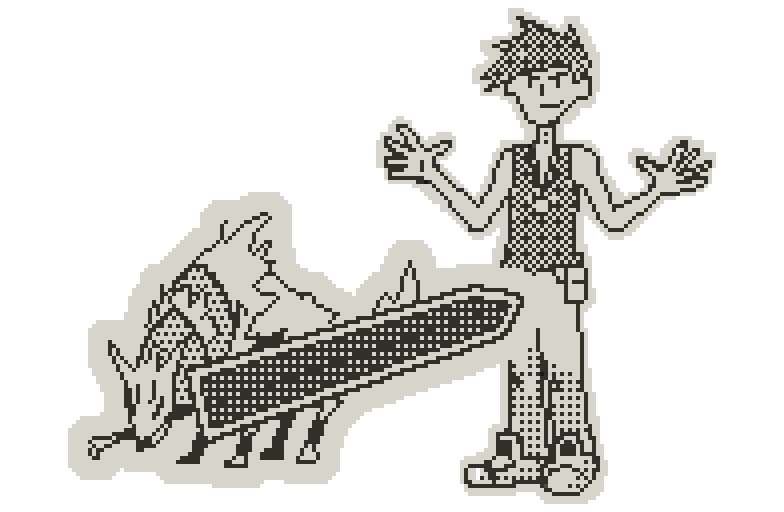
An Asobimon trainer

Skill changes what the Trainer AI understands.

Skill is not a hidden stat bonus. It progressively unlocks new groups of tactical evaluators.

SKILL 0 chooses randomly among usable moves. Skill 1 begins the cumulative scoring system with immediate damage.

01DAMAGE
16HP + TYPE MATCHUPS
32MANA + PRIORITY
48STATS + ARENA + SPEED
64FAILURE PREDICTION + STATUS + STAT MATCHUPS
80KILL CONFIRMATION + SURVIVAL + SWITCHING + ABILITIES
100SEQUENCING + COUNTERPLAY + WIN CONDITIONS + ITEMS

LDtk can grant individual trainers bonus flags outside that normal progression. A lower-skill specialist can understand one advanced mechanic without getting the complete highest-skill toolkit.

Every rule leaves a receipt.

Each scoring pass adds a labeled adjustment and explanation to the candidate. I can add, remove, or tune one tactical rule without rewriting the whole decision flow.

MOVE CANDIDATE

  • Availability
  • Estimated damage
  • Type matchup
  • HP and survival state
  • Mana impact
  • Priority and speed
  • Status and ability interactions
  • Arena value
  • Sequence and counterplay value
  • Personality bias
  • Opportunity cost

BASE VALUE

+ TACTICAL ADJUSTMENTS

+ PERSONALITY BIAS

− OPPORTUNITY COST

= FINAL SCORE

The highest-scoring usable move becomes the baseline action. If the trainer has switching or item awareness, those alternatives are evaluated against it using score margins that tighten when the trainer is under pressure. Clear knockouts are normally preserved, while dedicated emergency-revive logic can override the usual threshold. Equal move scores are resolved randomly so otherwise identical trainers do not become completely deterministic.

TRAINER AI DECISION PIPELINE

Profile + battle state → explainable action

01LOAD TRAINER PROFILE
02BUILD USABLE MOVE CANDIDATES
03RUN ENABLED SCORING PASSES
04APPLY PERSONALITY BIAS
05EVALUATE SWITCHES + ITEMS IF UNLOCKED
06COMPARE ACTIONS + RECORD DECISION

The decision log keeps the battle snapshot, active skill and bonus flags, every move candidate, any switch or item candidates, each score adjustment, and the final action. When behavior changes, I can see why instead of only seeing who won.

TRAINER AI SIMULATOR

Manual battles stopped telling me enough.

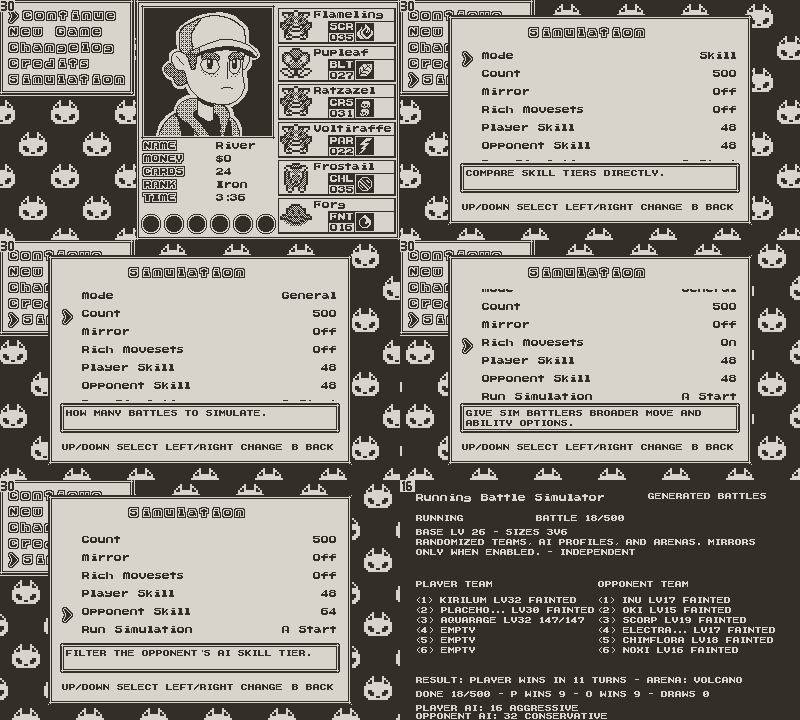
As the trainer logic got more complicated, playing battles one at a time became too slow to tell me much. I built a headless simulator that runs Trainer AI against Trainer AI, then added an in-game screen for setting up batches and reviewing the results. Tests can hold teams constant, compare profiles and skill tiers, rotate tactical scenarios, and keep each trainer’s decision history.

One of the first useful results was also a little embarrassing: in early batches, the skill-100 Trainer AI often lost to skill-1 Trainer AI opponents. The advanced trainer was evaluating setup, statuses, abilities, resources, switching, items, and future turns, while the simpler trainer mostly chose immediate damage. The move pool did not yet offer enough reliable payoffs for all that additional planning.

That showed me the problem was the available content, not just one Trainer AI bug. I added richer moves, statuses, abilities, and tactical options, then used the simulator to check whether they actually improved higher-skill play.

    Asobimon in-game battle simulator interface monitoring Trainer AI battle batches.
    The in-game simulator shows batch progress along with matchup, skill, personality, and decision data.

    BATTLE MODE

    TRAINER AI VS TRAINER AI

    BATCH SIZE

    CONFIGURABLE

    COMPARISONS

    PERSONALITY / SKILL / FLAGS

    SCENARIOS

    ARENA / PRIORITY / STATUS

    CONTROL

    MIRRORED TEAMS

    TRACE

    STRUCTURED DECISION LOGS

    EXPORT

    CSV / JSON

    ONLINE SYSTEMS

    Playdate added HTTP support. I had to build everything else.

    For most of development, my answer to online trading was 'probably not.' Native HTTP support finally made it possible, but it didn't give me an online system for free. I still had to build the Playdate-side flow, backend, database, and hosting myself, which pushed me much further into server-side networking than I'd gone before.

    I started with something simpler: roster snapshots and a leaderboard. That let me prove I could push data, store it, retrieve it, and replace an older snapshot without coordinating two players.

    Before attempting a two-party trade, I built a simulated server-side trade with a fixed code, trainer, and monster. It followed the real polling and approval flow instead of faking the result on the device.

    Once that worked, I completed the same approval flow between two Playdate simulators.

    • NetworkManager serializes Playdate HTTP work
    • Request sequence IDs
    • Explicit pending / completed / failed states
    • Polling and timeout handling
    • Five-minute trade-session expiry
    • Trainer, party, and Deck snapshot sync
    • Top Trainers leaderboard
    • Code-based two-party and server-defined special trades
    • 12 Supabase Edge Functions
    • 13 database migrations

    NETWORK BOUNDARY

    Two-client trade session

    01

    SAVE + SYNC

    Both players save their current roster

    02

    CREATE

    Host opens a five-minute session

    03

    JOIN

    Guest enters the trade code

    04

    SELECT

    Both players choose a Deck monster

    05

    CONFIRM

    Both accept; the server completes the session

    06

    COMMIT + ANIMATE

    Clients apply the swap and save before showing the animation

    The client saves before the session, then writes the completed swap locally without another prompt before the transfer animation. Quitting during the animation cannot restore the outgoing monster. Special trade codes use a separate server-defined flow.

    Asobimon online trade flow running on Playdate

    Snapshot sync supports online services; it is not full cloud-save upload/download. Player identity is generated locally and does not use account login. Online battles are planned, not currently implemented. The original two-client trading milestone was completed between two Playdate simulators, not physical devices.

    SAVE & PERSISTENCE

    The save file is a contract between versions.

    Instead of trying to save live Lua objects, the save system converts the current session into plain data that a later build can validate, migrate, and rebuild.

    Monsters are stored as compact identity codes alongside mutable state such as health, mana, experience, status, provenance, online identity, and held items. Inventory entries become item IDs and quantities. World progress is reduced to scene, position, cutscenes, defeated trainers, and collected items. Expedition saves also retain the generated run state needed to reconstruct the current floor.

    The main RPG and Expedition use separate save slots, but both pass through the same serialization and protection pipeline.

    • Stable serialized data model
    • Separate RPG and Expedition slots
    • Compact monster records
    • Versioned save envelope
    • Pre-write backup
    • Integrity validation
    • Legacy migration
    • Frame-budgeted restoration

    What the snapshot contains

    TRAINER

    Identity · rank · currency · network metadata

    ROSTER

    Party · Deck · health · mana · XP · status · held items

    PROGRESSION

    Asobipedia · cutscenes · defeated trainers · collected items

    WORLD

    Scene · position · movement state

    INVENTORY

    Healing items · capture cards · held items · key items

    EXPEDITION

    Seed · floor · current room · generated run state

    Monster records also retain status counters, trainer provenance, instance identity, and encounter metadata when available.

    Writing without discarding the last good state

    Every save belongs to a lineage and receives an incrementing revision. Before the active slot is replaced, the existing save is copied to a backup slot. Protected release saves are then serialized to JSON and wrapped in an envelope containing the format version, encoding identifier, payload, and checksum.

    01NORMALIZE RUNTIME STATE
    02ADVANCE LINEAGE REVISION
    03BACK UP CURRENT SLOT
    04ENCODE VERSIONED ENVELOPE
    05COMPUTE INTEGRITY CHECKSUM
    06WRITE MODE-SPECIFIC SAVE

    This is intentionally integrity-checked storage, not encryption. The encoded payload is designed for consistent storage and validation, not secrecy.

    Backup restoration is an explicit recovery path; normal loading does not automatically fall back to the backup.

    Loading is reconstruction, not deserialization alone

    Loading begins by selecting the correct RPG or Expedition slot and inspecting its outer envelope. The loader checks the format version and encoding, recomputes the checksum, decodes the payload, and confirms that it contains valid JSON data.

    Legacy raw saves and the previous encoded payload format have separate load paths. When the game successfully loads an older supported save or a decodable payload with an outdated integrity value, it rewrites that data using the current envelope.

    The resulting records are then used to rebuild runtime objects. Party monsters are hydrated from their compact codes, inventory items are reconstructed from stable identifiers, and the Deck is restored through stored monster records. Startup restoration is distributed across frames to avoid creating a large hardware load spike.

    01SELECT SAVE SLOT
    02INSPECT VERSION + ENCODING
    03VALIDATE CHECKSUM
    04DECODE CURRENT OR LEGACY PAYLOAD
    05REBUILD RUNTIME OBJECTS
    06RESTORE WORLD OR EXPEDITION STATE
    07REWRITE MIGRATED DATA

    Designing around previous failures

    An earlier format change broke existing saves. Instead of adding one patch, I changed the save system to handle the failure cases a growing game creates.

    SCHEMA CHANGE

    Format version + migration path

    CORRUPT OR PARTIAL DATA

    Checksum + decode validation

    BAD REPLACEMENT WRITE

    Backup captured before overwrite

    MODE COLLISION

    Separate RPG and Expedition slots

    MEMORY PRESSURE

    Frame-budgeted party restoration + stored Deck records

    AMBIGUOUS SAVE HISTORY

    Lineage ID + incrementing revision

    These checks grew out of a real compatibility failure. The save system now expects format changes, interrupted writes, damaged payloads, mode-specific state, and Playdate’s memory limits.

    LOCALIZATION & TOOLING

    Translation was only half of the localization problem.

    I had worked on multilingual iOS apps before Asobimon, so I began moving UI text, battle messages, and content descriptions behind localization lookups before I had translators. That preparation became useful when a Discord community member offered to translate the game into German. Spanish and Japanese began as proofs of concept; Italian and an expanded German translation followed later.

    The runtime supports five language tables. Only the selected locale is loaded, and every lookup follows a fallback chain: the current language first, then English, then the original key or supplied source text. An incomplete translation therefore produces readable English instead of an empty label or broken menu.

    Named placeholders such as {name}, {move}, and {damage} allow translators to change sentence order without changing the battle code that supplies those values.

    • Five selectable locale tables
    • Lazy language loading
    • Current language → English → source fallback
    • Named template placeholders
    • Localized UI and game-content definitions
    • Language-aware fonts and image assets
    • Translator CSV export and import
    • Key and placeholder validation

    LOCALIZATION PIPELINE

    Source text and content → translator-ready game data

    AUTHORING / TOOLING

    01COLLECT UI + CONTENT TEXT
    02GENERATE TRANSLATOR CSV
    03TRANSLATE + PRESERVE PLACEHOLDERS
    04VALIDATE KEYS + TEMPLATE TOKENS
    05IMPORT LUA LANGUAGE TABLE

    RUNTIME

    06LAZY LOAD + APPLY FALLBACKS

    SELECTED LOCALE

    LANGUAGE-AWARE FONT + ASSETS

    ENGLISH FALLBACK

    SOURCE FALLBACK

    ON-DEMAND + CACHED

    Localized images use their English variant when a locale-specific asset is missing.

    EN
    DE
    ES
    IT
    日本語

    Language availability does not imply equal translation completeness. Missing entries fall back safely to English while each locale continues to be expanded.

    Japanese made typography an engineering constraint.

    Supporting Japanese required more than adding another language table. Asobimon’s Latin display font did not contain the necessary kanji, while many general-purpose Japanese fonts were either unsuitable for Playdate or difficult to read at the game’s small pixel scale.

    I tested bitmap-font options for glyph coverage, clarity, and the amount of screen space they consumed before settling on a dedicated 16-pixel Japanese font. Selecting Japanese refreshes the game’s active UI fonts alongside the language data. This preserves kanji support and readability, but translated text still has to fit within the same 400 × 240 layouts designed around a much narrower Latin font.

    JAPANESE FONT · JF-Dot-Izumi16 · 16 PX · CURRENT GAME TEXT

    New languages reuse the same pipeline.

    Locale content is kept separate from gameplay code, so another language does not require a new branch of UI or battle logic. When more community volunteers are available, I can register another locale, generate the same translator-facing CSV, import the completed translation, and rely on the existing fallback behavior while coverage is expanded. Languages that require a different writing system may still need a suitable Playdate bitmap font or localized image assets.

    COLLECTION & MEMORY

    The game could not keep an entire collection battle-ready.

    Asobimon currently defines 109 species and allows the player to store up to 432 individual monsters across 24 Deck pages. On a Playdate with only 16 MB of RAM, those monsters could not all remain as complete animated game objects.

    A battle-ready monster carries much more than an identity and a set of stats. It can reference a sprite sheet, animations, instantiated moves, an ability, audio, UI state, and temporary combat data. Keeping all of that for hundreds of Deck slots, plus the full Asobipedia catalog, would spend memory on systems most stored monsters were not using.

    I separated the collection into three representations: shared species definitions, compact stored records, and fully hydrated runtime monsters. The game moves between them depending on what the player is doing.

    • 109 registered species
    • 432 individual Deck slots
    • Shared species definitions
    • Compact per-monster records
    • Data-only browsing and inspection
    • On-demand runtime hydration
    • View-scoped image caches
    • Lightweight Asobipedia progress

    Store the identity, not the battle object.

    Every captured monster needs to preserve what makes it unique without retaining everything it needs for battle. A Deck record keeps its encoded Asobicode together with mutable state such as current HP and mana, experience, status, held item, original-trainer data, where it was encountered, and its online identity. It can also retain derived display data used by collection views.

    The Asobicode reconstructs the monster’s species, level, gender, nature, ability roll, Genetic Values, and Dedication Values. Shared information such as base stats, types, descriptions, abilities, learnsets, and asset paths lives once in the definition registry instead of being copied into every captured monster.

    The Deck combines the stored record with that shared definition to display names, stats, types, icons, health, mana, status, and inspection details. It does not need to instantiate a complete animated monster merely to browse the collection.

    MEMORY BOUNDARIES

    Three representations inside 16 MB

    109

    SHARED SPECIES DEFINITIONS

    ASOBIMON_DEFINITIONS

    432

    COMPACT DECK RECORDS

    24 PAGES × 18 SLOTS

    6

    HYDRATED PARTY MONSTERS

    ACTIVE PARTY LIMIT

    16 MB

    PLAYDATE RAM

    TOTAL DEVICE MEMORY

    These values describe separate layers: shared species data, lightweight individual records, and the small set of monsters hydrated for active play.

    Hydrate only what can enter play.

    When a stored monster moves into the six-member party, the game turns that record into a complete runtime monster. Its encoded identity rebuilds its traits and stats, then the game reapplies its saved state. Moves, abilities, sprite animation, and battle state are only created when the monster can enter active play.

    Moving a party member back into the Deck reverses the process: the live object is converted into a stored record again. Save loading follows the same boundary. Party members are restored as complete monsters, while the much larger Deck is reconstructed as lightweight records that remain ready for browsing.

    MONSTER LIFECYCLE

    Persistent identity → browsable collection → active battler

    01 · ASOBICODE

    Species, level, gender, nature, ability roll, GVs, and DVs

    02 · MUTABLE SAVE STATE

    HP, mana, XP, status, held item, trainer provenance, and online ID

    03 · COMPACT DECK RECORD

    Persistent data without active animation or combat systems

    LIGHTWEIGHT BROWSE BRANCH

    ACTIVE PLAY BRANCH

    04 · DEFINITION LOOKUP

    Shared names, types, base stats, abilities, learnsets, and asset paths

    05 · DECK / INSPECTION VIEW

    Render the card directly from its record and definition

    06 · PARTY HYDRATION

    Construct the full monster only when it can enter active play and battle

    The catalog is data until the player opens it.

    The Asobipedia does not maintain a second collection of complete monster objects. It stores only whether each card number has been seen or caught, then builds its list from the shared species registry.

    Opening an entry reads the selected definition and loads that species’ display image. The Deck follows a similar rule: its grid uses small shared shape icons, while larger monster logos are loaded as they are needed and cached for the lifetime of the view. Closing those screens releases their view-owned images, sprites, and caches.

    The complete roster stays searchable without loading every monster’s full battle sprite sheet at once. Battle sprite assets use a separate shared cache after a species has been instantiated.

    RUNTIME MEMORY MODEL

    Data stays compact until the current interaction needs more

    SPECIES REGISTRY

    109 shared data definitions in ASOBIMON_DEFINITIONS

    Registered during startup in frame-budgeted batches; registration does not load a full roster of sprite sheets

    ASOBIPEDIA

    Seen and caught flags indexed by card number

    The selected entry image is loaded when opened

    DECK

    Up to 432 compact individual records

    Browsable without constructing battle objects

    PARTY

    Up to six hydrated monsters

    Moves, abilities, state, and gameplay behavior

    ACTIVE VIEW / BATTLE

    Only resources required by the current interaction

    View-owned Deck and Asobipedia caches are cleared when their screens close

    Players can browse the full collection without loading every stored monster as if it were already in battle.

    ASOBIMON EXPEDITION

    I reused the battle engine and replaced the game loop.

    Expedition shares Asobimon’s monsters, combat, items, and interface, but reorganizes them into a run-based game. Instead of exploring a fixed RPG world with an established party and inventory, the player chooses one starting Asobimon, enters with limited supplies, and builds a temporary team through exploration and captures.

    Health, mana, status conditions, money, recovery opportunities, and Capture Cards all have to last across the floor. Optional branches can contain useful encounters, shops, events, or recovery, but exploring them also creates more chances to lose resources before reaching the boss.

    • One-Asobimon run preparation
    • Run-specific inventory and currency
    • Captures build the active party
    • Branching exploration and resource attrition
    • Limited recovery and one-time events
    • Trainer gates, biome bosses, and extraction
    • Persistent run state and failure cleanup

    SAME BATTLE ENGINE, DIFFERENT GAME

    Shared combat systems, different progression

    MAIN RPG

    • Authored world
    • Persistent party and inventory
    • Long-term collection and progression
    • Routes, towns, and conventional recovery

    EXPEDITION

    • Seeded room graph
    • Single-partner starting constraint
    • Run-specific party, supplies, and economy
    • Limited recovery, branching risk, and extraction

    FLOOR GENERATION

    Authored rooms become generated floors.

    Expedition does not generate room geometry from scratch. I built 143 Expedition room templates in LDtk across Meadow, Woodland, Mountain, hub, shop, trainer, boss, junction, and endcap variants. The generator assembles compatible templates into a bounded floor while preserving the authored collision, composition, exits, and encounter spaces inside each room.

    For the first floor, the seed chooses two of the three available biomes and constructs a connected route through a bounded grid. It creates a required spine containing the starting area, route rooms, a mandatory trainer encounter, and the boss, then spends a separate budget on optional branches.

    Every generated node must be matched with a room whose directional doors fit its position in the graph. Remaining exits are connected to branches or closed with compatible endcaps. If the generator cannot resolve every required connection, it discards the attempt and retries rather than loading a broken floor.

    GENERATION PIPELINE

    Seed → populated floor

    01SEED + FLOOR RULES
    02SELECT BIOMES
    03BUILD REQUIRED SPINE
    04ADD TRAINER + BOSS GATES
    05ALLOCATE OPTIONAL BRANCHES
    06MATCH EXACT DOOR TOPOLOGY
    07CLOSE UNUSED EXITS
    08VALIDATE OR RETRY
    09POPULATE + PERSIST FLOOR

    Generation is connected by construction and checked for unresolved exits. The current implementation can retry a failed layout up to eight times, while incomplete saved layouts can be rebuilt without discarding the rest of the run’s recorded progress.

    SEEDED POPULATION

    The seed controls more than the room layout.

    Once the graph exists, Expedition uses the same seed and floor rules to place rooms, biomes, modifiers, encounter pools, trainers, bosses, shops, special monsters, recovery points, and events.

    Wild encounter pools come from the registered monster definitions rather than separate lists authored for every room. Selection considers biome types, room modifiers, base-stat limits, and progress through the floor, so encounters grow stronger between the entrance, trainer gate, and boss.

    Trainer parties are built within floor-specific team-size and strength budgets. Trainer AI skill and personality are selected with the party, so later encounters can increase both monster strength and the quality of the decisions controlling them.

    ROOM MODIFIERS

    Overgrown, Scorched, Rainy, Thunderstorm, Warped, Moonlit, and Snowing connect environmental presentation and props with monster-type weighting, wild selection, battle-arena selection, and each room’s identity inside its biome.

    LIMITED OPPORTUNITIES

    A floor can contain limited recovery sites, stronger special monsters, persistent shop stock, and one-time events that trade health, money, information, or risk for a reward. Their placement is seeded; individual event rolls can still happen when the player makes a choice.

    RUN STATE

    The generated floor remains stable throughout the run.

    Expedition serializes the generated floor instead of rolling a replacement whenever the game loads. That persisted state includes the generated structure and every player-facing change made to it.

    Revisiting a room does not reroll its contents. Depleted shop stock stays depleted, events and recovery points remain consumed, trainers stay defeated, mapped rooms stay revealed, and boss gates preserve their state.

    Only the current room and its directly connected neighbors need to remain active. Rooms outside that neighborhood are released, so the game can represent a larger logical floor without holding every room, sprite, and encounter in Playdate memory at once.

    LAYOUT

    Room graph, positions, doors, and directional topology

    NAVIGATION

    Visited rooms, revealed map state, and room history

    POPULATION

    Biomes, modifiers, encounters, and special-room assignments

    PROGRESSION

    Trainer, boss, and boss-gate state

    RESOURCES

    Shop inventory plus consumed events and recovery points

    RUN RECORD

    Starter identity and floor statistics

    FAILURE + EXTRACTION

    Failure and extraction are part of the progression.

    Losing an Expedition is different from losing a story battle. Defeat removes unsecured captures and cleans up the run’s temporary party gains, inventory, currency, held items, and combat state. The chosen starter is restored for another attempt.

    A Return Courier event can mark a captured monster as secured and move it into the Deck during the run. Because secured monsters are removed from the list of new catches that defeat cleanup deletes, they remain in the collection even if the rest of the run fails.

    FLOOR SUMMARY

    Eight recorded outcomes

    01

    WILD ENCOUNTERS

    02

    TRAINERS DEFEATED

    03

    CAPTURES

    04

    EVENTS COMPLETED

    05

    MONSTERS SECURED

    06

    MONEY EARNED

    07

    ROOMS VISITED

    08

    ELAPSED TIME

    RUN LOOP

    One partner → extraction decision

    01CHOOSE ONE PARTNER
    02EXPLORE BRANCHING ROOMS
    03BATTLE + CAPTURE
    04SPEND, RECOVER, OR TAKE RISKS
    05DEFEAT THE TRAINER GATE
    06DEFEAT THE BIOME BOSS
    07EXTRACT OR CONTINUE

    The current playable implementation contains one complete procedural floor using the Meadow, Woodland, and Mountain room sets. The run model defines an eight-floor difficulty and progression curve, but floors two through eight are currently scaffolding for the expanded mode and planned standalone release. Choosing “Keep Going” after the current floor leads to the Expedition end splash, not a playable second floor.

    TESTING & QA

    No single test surface catches a Playdate bug.

    Different tests catch different problems. Importers and runtime registration reject malformed content before it reaches gameplay. Assertions cover predictable systems such as stats, genetic and dedication values, abilities, learnsets, monster registration, and simulator results.

    Headless battle batches test interactions that isolated assertions cannot, including Trainer AI profiles, moves, statuses, abilities, arenas, and turn order across repeated matches. Decision logs, player-action logs, Expedition map diagnostics, and debug menus give me the information I need to reproduce failures.

    Those checks still do not replace integrated testing in the Playdate Simulator or on physical hardware. Device testing catches differences in frame timing, memory pressure, input, loading behavior, and performance that are less visible on desktop.

    • Assertion-based system tests
    • Import and definition validation
    • Headless battle batches
    • Playdate Simulator testing
    • Structured logs and debug tooling
    • Physical hardware testing
    • Closed-beta feedback

    TESTING SURFACES

    From isolated checks to real hardware

    NARROW · DETERMINISTICWIDER · REAL WORLD
    01

    CONTENT VALIDATION

    CSV schemas · move tags · monster definitions · localization placeholders

    02

    ASSERTIONS

    Stats · DVs · GVs · abilities · learnsets · registration

    03

    HEADLESS BATTLES

    Trainer AI · statuses · abilities · arenas · turn interactions

    04

    PLAYDATE SIMULATOR

    Integrated gameplay and rapid iteration

    05

    DEBUG TOOLING

    Action logs · Trainer AI traces · cutscene tools · Expedition diagnostics

    06

    PHYSICAL PLAYDATE

    Timing · memory · input · loading · performance

    07

    CLOSED BETA

    Real hardware · player behavior · long-tail failures

    The Discord closed beta grew to 50+ players. Their reports exposed bugs and real-hardware behavior that isolated testing missed, while follow-up builds let the community confirm whether fixes held under normal play.

    TEAM

    I’m the sole developer.
    Asobimon is still a team effort.

    I write the code and work on the game design, UI, and sprites. The rest of the team contributes the art, animation, music, writing, community work, and translations that make it Asobimon.

    Programming & Design

    • Nick Gray

    Art

    • Art: Joey McCormick
    • Animation: Gus Echeverri
    • UI & Sprites: Nick Gray

    Music & Sound

    • Octavio Dowling

    Writing

    • Tyler Mentzer
    • CJ Isherwood

    Community Management

    • Tyler Mentzer

    Translations

    • German: Lucas Kundigraber
    • Italian: Kurtudine
    • Japanese: Octavio Dowling

    CONCLUSION

    What I learned

    Asobimon started as a project where I was often focused on getting the next system working. As the game grew, that stopped being enough. Systems that worked at a smaller scale needed to be rethought as the project became larger, more interconnected, and more demanding of the Playdate hardware.

    The biggest lesson has been learning when a system has outgrown the way I first built it. Most of the strongest parts of Asobimon came from recognizing that point, tearing something apart, and rebuilding it around the problem I actually had.

    Working with beta testers has reinforced that too. Simulator tests and logs can tell me a lot, but real players will always find the assumptions I missed.